As you initiate on your online education journey, you need a dedicated space to focus and learn effectively. Your study space plays a significant role in your academic success. You will be spending a considerable amount of time in this space, so it’s necessary to create an environment that promotes productivity and comfort. In this post, you will learn how to design a study space that meets your needs and helps you achieve your academic goals.
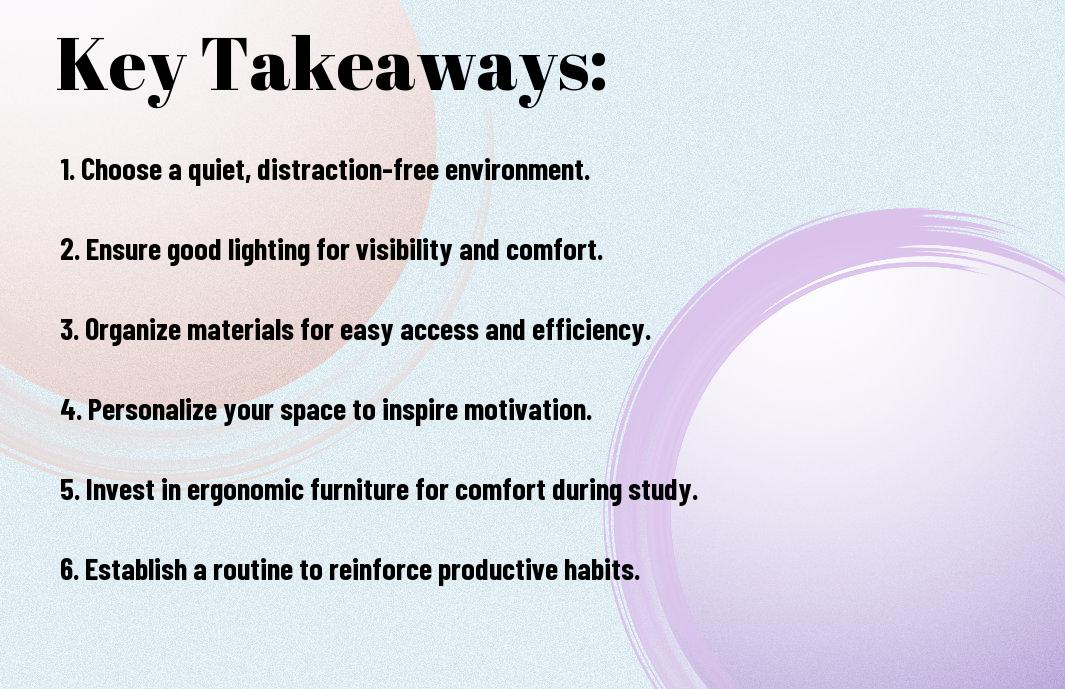
Key Takeaways:
To create an effective study space for online education, consider the following points:
- Designate a dedicated space for studying, free from distractions and interruptions, to help you stay focused and avoid multitasking.
- Ensure your study space has good lighting and a comfortable temperature to promote a productive learning environment.
- Invest in a reliable computer and high-speed internet connection to support smooth online learning and minimize technical issues.
- Organize your study space with vital materials, such as textbooks, notebooks, and a comfortable chair, to create a conducive learning atmosphere.
- Minimize digital distractions by turning off notifications and logging out of social media accounts during study sessions to maintain a consistent workflow.
Setting Up a Productive Environment
While creating a study space for online education, you need to consider the overall environment. Your goal is to create a space that fosters productivity and focus.
Choosing a Dedicated Space
Setting a specific area for studying helps you establish a routine and get into the right mindset. You should choose a quiet and comfortable spot with minimal noise and interruptions.
Minimizing Distractions
Beneath the surface of a productive environment lies the need to minimize distractions. You can start by turning off notifications on your phone and finding a quiet spot away from family members.
Choosing the right tools to help you minimize distractions is key. You can use website blockers or apps that help you stay focused on your tasks, and take regular breaks to recharge and avoid burnout, allowing you to make the most of your study time and achieve your academic goals.
Essential Tools and Equipment
Assuming you want to create an effective study space for online education, you’ll need to consider the necessary tools and equipment. You’ll need a reliable computer, internet connection, and other accessories to stay focused and productive.
Computer and Internet Requirements
Above all, you’ll need a computer that meets the requirements of your online courses, with a sufficient processor, memory, and storage. You’ll also need a stable internet connection to access online resources and participate in virtual classes.
Additional Software and Accessories
Equipment such as a headset, webcam, and microphone can enhance your online learning experience. You’ll also need to install necessary software and plugins to access course materials and participate in online discussions.
Another important aspect of additional software and accessories is the ability to organize and manage your digital files and notes. You can use cloud storage services, note-taking apps, and productivity tools to stay organized and focused, allowing you to make the most of your online education experience.

Organizing Digital Resources
To succeed in online education, you need to organize your digital resources effectively. This involves managing various online platforms, materials, and tools to create a seamless learning experience.
Online Course Platforms and Materials
Among the digital resources you will encounter, online course platforms and materials are necessary for your studies. You will have access to virtual classrooms, educational videos, and digital textbooks, which you can use to complete your coursework.
Digital Note-taking and Organization Tools
With the abundance of digital resources available, you need tools to help you take notes and organize your studies. You can use digital note-taking apps, browsers, and task managers to keep track of your progress and stay focused.
In addition, digital note-taking and organization tools offer features such as tagging, highlighting, and bookmarking, which enable you to categorize and prioritize your notes, making it easier for you to review and prepare for exams, and you can access your notes from anywhere, at any time, as long as you have an internet connection, allowing you to study more efficiently and effectively.
Creating a Comfortable Workspace
For optimal online learning, you need a dedicated study space that fosters productivity and comfort. You should design your workspace to meet your individual needs, ensuring you can focus on your studies without distractions.
Ergonomic Furniture and Lighting
About the physical aspects of your study space, consider investing in a comfortable and ergonomic chair, as well as a desk that allows you to work with good posture. You should also ensure your space has adequate lighting, reducing eye strain and promoting a healthy study environment.
Personalizing Your Space
Before you start studying, take some time to personalize your space to suit your learning style. You can add plants, photos, or inspirational quotes to create a welcoming atmosphere that motivates you to learn.
Further, personalizing your space can involve incorporating tools and materials that help you stay organized, such as a bulletin board, a whiteboard, or a planner. By tailoring your study space to your unique needs and preferences, you can create an environment that supports your academic success and helps you achieve your goals.
Staying Motivated and Focused
Your study space plays a significant role in your online learning success. To achieve this, visit How to Set Up Your Study Area for Online Learning Success to learn more about creating an ideal study environment.
Setting Goals and Deadlines
Beneath the surface of a successful online learner lies a well-structured plan. You need to set achievable goals and deadlines to stay on track and motivated throughout your course.
Avoiding Procrastination and Burnout
Around the challenges of online learning, you will find that avoiding procrastination is key. You must prioritize your tasks and take regular breaks to maintain your physical and mental well-being.
Deadlines are looming, and you need to stay focused to meet them. To avoid burnout, you should establish a routine that includes time for study, relaxation, and exercise. By doing so, you will be able to manage your workload effectively and make the most out of your online learning experience.
Managing Time Effectively
Unlike traditional classroom settings, online education requires you to be more disciplined with your time. You can learn more about setting up your study space for success by visiting Studying Online? Set Up Your Study Space for Success to help you manage your time effectively.
Creating a Study Schedule
Managing your study time is vital to your success in online education. You need to create a study schedule that fits your lifestyle and learning style, allowing you to stay on track and meet your deadlines.
Balancing Study and Personal Life
Balancing your study and personal life is vital to maintaining your physical and mental well-being. You should set boundaries and prioritize your tasks to ensure you have time for both studying and personal activities.
Indeed, striking a balance between your study and personal life can be challenging, but it is vital to your overall well-being. You can achieve this by setting realistic goals, taking regular breaks, and communicating with your family and friends about your needs and boundaries, allowing you to stay focused on your studies while also nurturing your personal relationships and hobbies.
Final Words
Following this guide, you can create an effective study space for online education. You will be able to stay focused and motivated in your dedicated learning area. By optimizing your environment, you can improve your productivity and achieve your academic goals. With your new study space, you will be well-equipped to succeed in your online education journey, and you can confidently pursue your educational objectives.
FAQ
Q: What are the necessary elements to consider when creating a study space for online education?
A: When creating a study space for online education, it is important to consider several key elements. First, choose a quiet and comfortable location with minimal distractions, such as a dedicated home office or a library. Ensure the space is well-lit and has a comfortable temperature. Invest in a good chair, desk, and necessary storage for your books and materials. Additionally, a reliable computer or laptop, a stable internet connection, and a headset or speaker are necessary for online classes and video conferencing. Lastly, personalize your space to promote productivity and motivation, such as adding plants, inspirational quotes, or family photos.
Q: How can I minimize distractions and stay focused in my study space?
A: Minimizing distractions and maintaining focus in your study space requires some intentional design and habits. Start by removing or silencing notifications from your phone, closing unnecessary tabs on your computer, and finding a quiet time of the day when family members or roommates are less likely to interrupt. Consider using website blockers or apps that help you stay focused on your studies. It’s also beneficial to establish a routine, setting specific study times and breaks to maintain a healthy work-life balance. Furthermore, keeping your study space organized and clutter-free can help reduce stress and improve concentration.
Q: How do I ensure my study space is ergonomically designed to support long study sessions?
A: An ergonomically designed study space is vital for comfort and health, especially during long study sessions. Start by adjusting your chair height to ensure your feet are flat on the floor or on a footrest, and your knees are at or below hip level. Position your computer monitor directly in front of you, at a distance of about 20-25 inches, and at a height that allows you to gaze slightly downward. Keep your keyboard close and directly in front of your body, with your wrists straight and elbows at a 90-degree angle. Consider investing in an ergonomic mouse and keyboard to reduce strain on your hands and wrists. Lastly, take breaks every 30-60 minutes to stand up, stretch, and move around to prevent fatigue and stiffness.